Reviewed · REYKJAVIK
Rent Unlimited High Speed pocket Wifi in Iceland
Iceland feels farther when you are offline. This pocket WiFi keeps you connected across the country with unlimited 4G for up to 10 devices, without swapping your SIM card. For groups, the $67 per group price can be a smart way to avoid surprise roaming costs, though the Keflavik pickup can feel confusing if you are missing the exact code or paperwork.
I like the practical setup, you rent a portable hotspot and you get a mobile ticket for the trip. Local support is also part of the pitch, and that matters when your first day in Iceland needs to be stress-free.
One more thing to know up front: the product is simple once you have it in hand, but it is not the kind of service where you should assume every counter will instinctively understand a digital proof. Bring your confirmation details and follow the instructions carefully.
Key Things to Know Before You Go
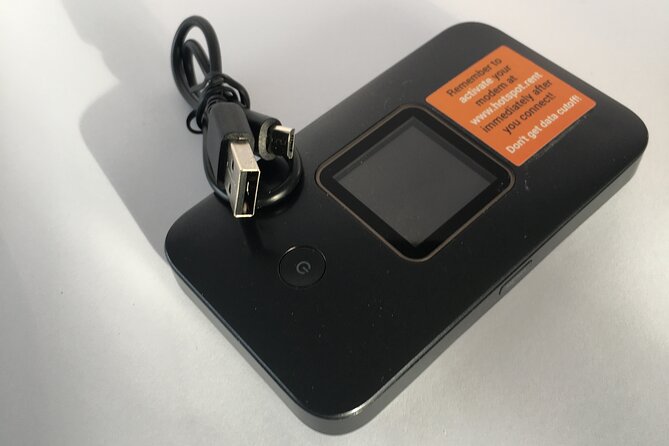
- Unlimited 4G for up to 10 devices, no SIM swap needed
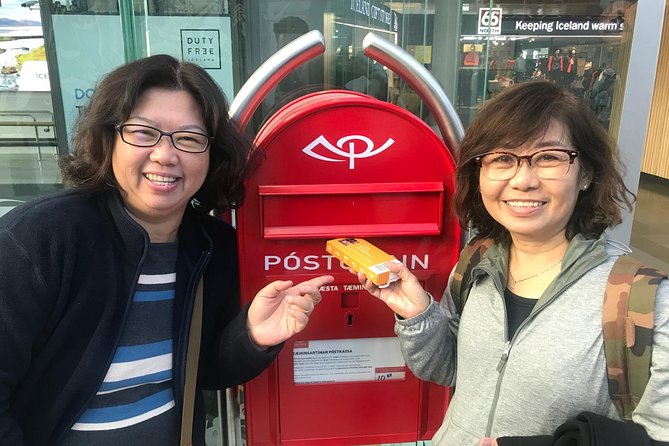
- Keflavik airport pickup and return using pre-stamped mailboxes
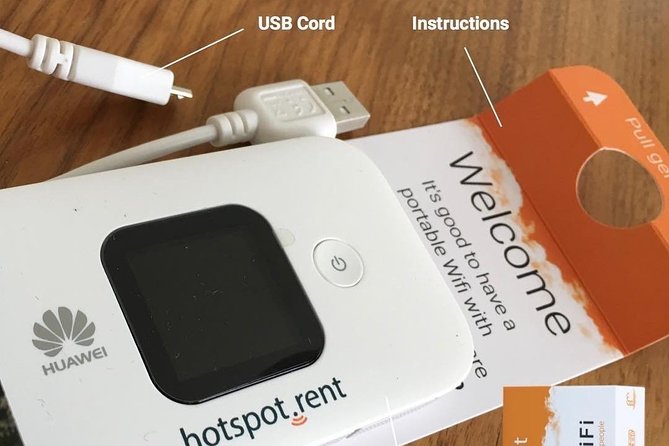
- Pack the modem and USB cord in the same orange box
- Local support is nearby if you hit a snag
- Best value when several people share one hotspot
Weighing this one up? Here are a few Reykjavik favourites to set it against.
- Reykjavik: Golden Circle Full-Day Tour with Kerid Crater★ 4.8 · 24,485 reviews
- Reykjavik Food Walk – Local Foodie Adventure in Iceland★ 5.0 · 18,952 reviews
- Iceland: Northern Lights Bus Tour from Reykjavik★ 4.1 · 11,161 reviews
Pocket WiFi in Iceland: Staying Connected Where Signals Matter
Iceland is amazing, but it can also be a bit humbling if your phone data is unreliable. When you are navigating ring roads, searching for the right bus, or trying to coordinate dinner plans in a group, a dependable connection is not a luxury. It is how you keep your day moving.
This rental is designed for that exact problem. You rent a portable hotspot and get unlimited mobile internet access across Iceland. That means you are not stuck relying on sketchy WiFi signs in cafes, and you are not forced to keep switching SIM cards. In real life, it is the difference between guessing and knowing.
The smart part for groups is that you can share the connection. Up to 10 laptops or mobile devices can connect, which is a big deal if you have multiple phones, tablets, or a couple of travel laptops along for bookings and maps.
Unlimited 4G for Up to 10 Devices, Without Changing Your SIM
The core promise is straightforward. You connect your devices to the pocket hotspot using unlimited 4G, and you do it without changing the SIM card in your own phone. That matters because changing SIMs can turn into a hassle fast, especially right after landing.
What I like about this setup is that it keeps your devices in their normal mode. You can keep using your phone number and apps you already have. Then, when you need internet, you connect to the pocket WiFi like it is your own travel network.
There is also a practical upside for families and small tours. Instead of each person paying for separate roaming, you can spread one rental across your group. If you have people who will actually use data, like sending photos, checking directions, or looking up bus times, the value tends to add up quickly.
Price and Group Value: Why $67 Can Feel Fair
The price is listed as $67.00 per group, up to 10 people. That pricing model is the big reason this rental works well for the right group size.
If you are traveling solo, the value depends on how much data you actually need. If you only need occasional messages and a couple of map checks, you might not feel the impact. But if you have more than one person, or you plan to use data more heavily, sharing a single unlimited hotspot usually makes it easier to budget.
A helpful way to think about it: you are paying for convenience and predictability. You are not trying to outsmart roaming fees or hunt down working WiFi each time you stop. You just grab the connection and keep moving.
Also note the rental length. It is available for about 4 to 100 days, so you can match it to a short city trip or a longer road-focused stay without changing your plan midstream. That flexibility is part of the value, even if you only end up using a fraction of the possible days.
Keflavik Airport Pickup and Drop-Off: Orange Box, Two Mailboxes

This is where the whole thing can feel either smooth or annoying, depending on how prepared you are.
Pickup and return happen at Keflavík International Airport, address 235 Keflavík, Iceland. The return process is handled with two pre-stamped mailboxes at the airport, which is convenient if you are flying out and want to avoid waiting for a counter at the last minute.
Here is the practical detail that makes it work:
- You pack the modem and USB cord back into the same orange box it came in.
- You deliver it to one of two mailboxes.
- One mailbox is in the Departure Hall.
- The other is in the main food hall, after security.
That gives you a backup option depending on where your route goes when you are leaving.
Pickup can be the part that trips people up. The key lesson is not to rely on a counter worker recognizing every detail instantly. Keep your confirmation info ready, and be ready to show it. One thing that stood out is that the code you need to register may be longer than you expect. Instead of a short 4- or 5-digit order code, the registration process can use a 10-digit code. So copy it carefully, and keep it with your booking details so you do not waste your first hour in Iceland.
Also, you should expect this type of rental to be handled by store staff at or near the airport area. If the person you meet looks uncertain, do not panic. The voucher is set up to include contact info so you can get help if something is not clear.




First-Time Setup: What to Do on Day One
The moment you pick up the hotspot, your day gets easier. Once set up, the service is described as easy to use, and that fits with how a pocket hotspot should work. You turn it on, connect your phone or laptop to its network name, and you start using data.
The one thing you should not skip is registration. Plan to spend a few minutes getting it right. If you are trying to rush through check-in while also figuring out which code to enter, you will feel the trip start to wobble.
A good practical routine:
- Have your confirmation details open on your phone or saved as a PDF.
- Check the instructions for the correct code format.
- Use the full 10-digit code if that is what your registration screen asks for.
After that, the biggest payoff is what people usually want most in Iceland: internet access that keeps working. The experience is described as fast, and signal availability is said to be strong across the trip. I cannot promise coverage in every single valley at every single moment, but the point is that this is meant to be your dependable connection, not a fragile “maybe.”
Using It Across Iceland: Practical Benefits for Real Travel Days
Once you are connected, the pocket WiFi changes how you travel. You do not just use the internet for social media. You use it to make decisions in real time.
Here is what that looks like day to day:
- Maps stay reliable while you are driving and parking.
- You can look up transit schedules without hunting for WiFi.
- Booking changes become less stressful when you can confirm details instantly.
- Group coordination gets smoother when more than one device needs data.
I also appreciate how this setup supports multiple devices at once. If you are traveling with someone who likes to research on the road, or if you need a laptop for planning, this avoids the one-device-only problem.
And since you are not swapping SIM cards, your phone stays your phone. That reduces setup stress, and it keeps your communications simple.
Local Support That Helps When Things Are Messy
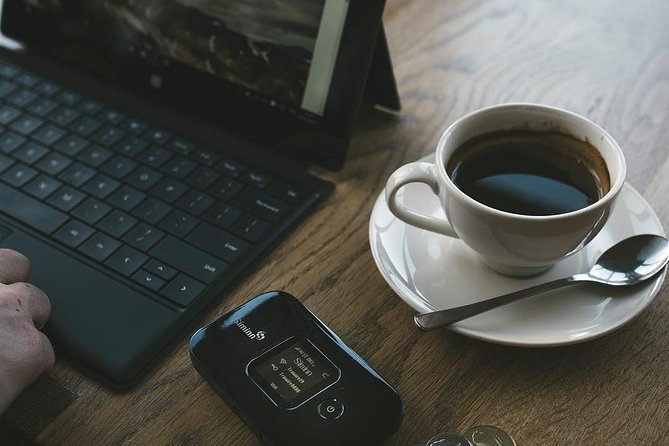
No travel plan is perfectly smooth. Counters can be busy. Staff can change. Paperwork can be unclear. What makes this rental feel safer is that there is local support close by, and people rate it highly.
Support matters most when you hit the kind of snag that ruins your momentum. For example, if a pickup desk does not recognize a proof in the moment, having a clear path to help prevents the whole trip from turning into one long troubleshooting session.
If you want a simple preparation tip, it is this: bring your confirmation details and make sure you know the exact 10-digit registration code before you leave the pickup area. That one step reduces most of the friction that can happen early.
How Long Should You Rent It For, 4 to 100 Days?
The rental length options are broad, which is good because Iceland travel styles vary a lot. A short trip needs connectivity for a few key days, while longer stays benefit from not restarting your setup halfway through.
If you are planning a multi-day road loop, you will appreciate having it for more than just city time. Iceland travel often includes stretches where you are far from dependable public WiFi. A pocket hotspot is meant to carry you through those gaps.
For longer trips, the value is mainly about consistency. You stay connected on the same device rental without repeating pickup steps or juggling multiple connections.
Who Should Book This Pocket WiFi, and Who Might Skip It
This is a great match if you:
- Are traveling with a group of two to 10 people who will use data.
- Want unlimited internet without fiddling with SIM cards.
- Prefer reliable connectivity over hunting for WiFi.
- Want a simple airport return option that avoids last-minute lines.
It might be less of a win if you are:
- Traveling completely solo and only need minimal data.
- The type of traveler who hates any form of device registration, even quick registration.
For most people who plan to use maps and messaging regularly, pocket WiFi beats hoping for good WiFi spots. And for groups, the shared price model can turn it into one of the easiest value purchases of the entire trip.
Should You Book This Pocket WiFi in Iceland?
Yes, I would book this if your trip depends on being connected. The reasons are practical: unlimited 4G for up to 10 devices, no SIM changes, and a return system at Keflavik with two pre-stamped mailboxes. That combination is built for real travel stress.
I would also go in with one expectation set: pickup needs attention. Bring your confirmation details, confirm the code you need for registration, and pack the modem and USB cord back in the orange box for the airport return. Do that, and it is a smooth way to keep your Iceland plans on track.